Imagine a mid-sized ISP in the American Midwest. After years of providing broadband, the company decides to launch its own IPTV service to compete with streaming giants and legacy cable. They’ve secured content licensing deals, purchased set-top boxes, and built out fiber to the curb. But when the CEO asks, “How do we actually get live TV and on-demand movies onto our subscribers’ screens?” the engineering team points to one critical piece of infrastructure: the IPTV head-end.
Without a properly designed head-end, there is no IPTV service. It’s the nerve center where raw video signals are received, processed, secured, and distributed to every subscriber device — from living room set-top boxes to mobile apps.
This article breaks down what an IPTV head-end is, how its core components work together, the tradeoffs between on-premises and cloud-native deployments, and what you need to know to choose or build the right architecture. Whether you’re a US cable operator evaluating an upgrade, a streaming startup sizing your infrastructure, or a systems integrator scoping a project, this guide gives you a practical foundation.
What Is an IPTV Head-End?
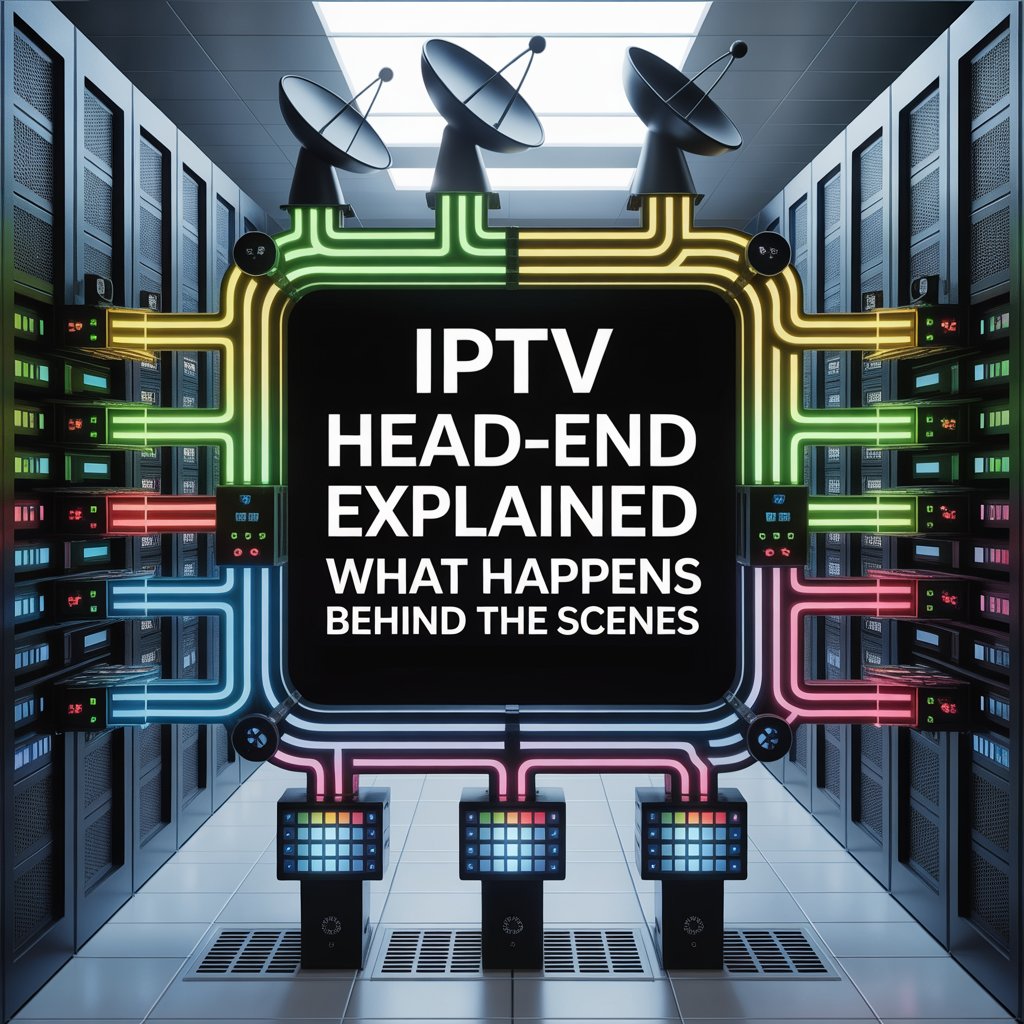
An IPTV head-end (also written as headend or head end) is the centralized infrastructure that receives, processes, manages, and distributes video content over IP networks to subscribers. Think of it as a combination of a TV studio, a post-production facility, and a broadcast transmission hub — all running on servers instead of satellite dishes and analog equipment.
In the traditional cable world, the head-end was a physical facility filled with racks of satellite receivers, modulators, and amplifiers. In the IPTV era, the head-end has evolved into a largely software-defined system that can run on commodity hardware, in private data centers, or in the public cloud.
The Primary Roles of an IPTV Head-End
Every head-end, regardless of scale, performs six core functions:
- Content Ingestion — Receiving live and pre-recorded video from satellite feeds, over-the-air (OTA) antennas, fiber links, and file uploads.
- Processing & Transcoding — Converting raw video into multiple quality profiles optimized for different devices and network conditions.
- Origin & Packaging — Wrapping encoded video into streaming-friendly formats (HLS, DASH, CMAF) and generating manifests that tell player apps which segments to request.
- DRM & Content Security — Encrypting streams and managing digital rights to meet studio and licensing requirements.
- Distribution — Pushing or serving packaged content to a content delivery network (CDN) or directly to subscribers.
- Monitoring & Analytics — Tracking stream health, quality of service (QoS), subscriber engagement, and SLA compliance in real time.
Analogy: If delivering IPTV were like running a restaurant chain, the head-end is the central kitchen. Raw ingredients (satellite feeds, video files) arrive at the loading dock. Chefs (transcoders) prepare dishes in multiple portion sizes (bitrate profiles). Packaging stations (packagers) wrap them for delivery. Security seals (DRM) ensure only paying customers can open them. And the dispatch system (origin + CDN) routes orders to the right locations.
Core Components & Workflow
A modern IPTV head-end is a pipeline of interconnected modules. Below is a left-to-right view of the typical workflow — from raw content to subscriber screens.
Ingest → Encoding/Transcoding → Packaging + DRM → Origin Server → CDN / Edge → Subscriber Devices1. Content Ingestion
The ingestion layer is where video enters your system. Sources vary widely:
- Satellite feeds — Received via IRD (Integrated Receiver/Decoder) units, often delivering MPEG transport streams (MPEG-TS) over ASI or IP interfaces.
- Over-the-air (OTA) broadcasts — Captured using ATSC receivers (the US digital TV standard) with antenna arrays.
- Fiber and IP contribution links — Direct fiber or managed IP circuits from networks, sports leagues, or news agencies, typically using SRT, RIST, or Zixi protocols for reliable low-latency transport.
- Terrestrial microwave — Used in some regional deployments for live event contribution.
- VOD file uploads — Pre-encoded movie and episode files ingested via SFTP, object storage, or API-driven workflows.
A robust ingest layer includes redundancy — dual satellite feeds, failover IP paths — so a single point of failure doesn’t take a channel dark.
2. Encoding & Transcoding
Raw video is rarely delivered in a format suitable for adaptive streaming to millions of devices. The transcoder converts input streams into multiple encoding profiles — different combinations of resolution, bitrate, and codec — to support everything from 4K smart TVs down to 3G-bound smartphones.
Key codec choices in 2026:
| Codec | Use Case | Notes |
|---|---|---|
| H.264 (AVC) | Broadest device compatibility | Still the baseline for legacy STBs and older mobile devices |
| H.265 (HEVC) | 4K/HDR, bandwidth-constrained networks | ~50% bitrate savings vs. H.264; licensing complexity |
| AV1 | OTT, web, newer smart TVs | Royalty-free; growing adoption but limited STB support |
The transcoder outputs an ABR (Adaptive Bitrate Streaming) ladder — typically 4–8 renditions ranging from ~400 kbps (360p) to ~15–25 Mbps (4K HDR). The subscriber’s player automatically selects the best rendition based on available bandwidth.
3. Packaging & Manifest Generation
Encoded video segments must be wrapped in a streaming protocol that client players understand. The three dominant formats:
- HLS (HTTP Live Streaming) — Apple’s protocol; near-universal support. Segments are typically 2–10 seconds in
.tsor.fmp4containers. - DASH (Dynamic Adaptive Streaming over HTTP) — The ISO/MPEG standard; widely used in Android and web players.
- CMAF (Common Media Application Format) — A unified container that lets you store a single set of segments and serve both HLS and DASH manifests, cutting storage and processing costs roughly in half.
The packager generates manifest files (.m3u8 for HLS, .mpd for DASH) that describe available renditions, segment URLs, timing, and DRM metadata.
For live channels, the packager operates continuously, creating a rolling window of segments. For VOD, packaging can happen on-demand or be pre-computed at ingest.
4. DRM & Content Security
Studios and sports leagues require robust Digital Rights Management before licensing premium content. A head-end integrates with one or more DRM systems:
- Google Widevine — Dominant on Android, Chrome, and Chromecast.
- Microsoft PlayReady — Standard on Windows, Edge, and many smart TVs.
- Apple FairPlay Streaming — Required for Safari, iOS, and Apple TV.
Most US IPTV operators implement multi-DRM — encrypting content once with Common Encryption (CENC) and serving the appropriate license to each device’s DRM agent. Additional security layers include tokenized URLs (time-limited access tokens), forensic watermarking (to trace leaks), and geo-fencing for regional licensing compliance.
5. Origin Server & CDN Integration
The origin server is the authoritative source for packaged content. It stores manifests and segments (for VOD) or maintains a rolling cache of live segments. Downstream, a CDN (Content Delivery Network) pulls or receives content from the origin and caches it at edge nodes close to subscribers.
Two common models:
- Pull (passive) origin — The CDN edge requests segments from the origin on first subscriber request and caches them. Lower origin load, but first-request latency.
- Push (active) origin — The head-end pushes segments to the CDN proactively. Better for high-concurrency live events but higher bandwidth cost at the origin.
For large US operators, a hybrid CDN approach — combining a commercial CDN (e.g., Akamai, Fastly, CloudFront) with privately operated edge caches inside the ISP’s own network — offers the best balance of performance and cost.
6. Subscriber Management & Middleware Integration
The head-end doesn’t operate in isolation. It integrates with:
- Middleware — The application layer that presents the EPG (Electronic Program Guide), channel lineup, and VOD catalog to subscribers.
- Subscriber Management System (SMS) — Handles user provisioning, entitlements, and authentication.
- Billing systems — CRM and billing platforms that manage subscriptions, pay-per-view purchases, and usage-based billing.
- EPG data providers — Third-party services (e.g., Gracenote, TiVo/Xperi) that supply program metadata and schedule information.
The middleware queries the head-end’s manifests and DRM license servers, checking subscriber entitlements before authorizing playback.
7. Monitoring, Logging & QoS/Analytics
A production head-end requires continuous monitoring at every stage:
- Ingest monitoring — Detecting signal loss, black frames, audio silence, or SCTE-35 ad-marker failures.
- Transcoder health — Tracking CPU/GPU utilization, encoding queue depth, and output quality metrics (PSNR, VMAF).
- Stream health — Verifying segment availability, manifest freshness, and CDN cache-hit ratios.
- Subscriber QoE — Measuring rebuffering rates, startup times, bitrate switches, and error rates from client-side telemetry.
- SLA dashboards — Real-time dashboards showing uptime, latency, and error budgets for operations teams and management.
Tools like Prometheus/Grafana, Datadog, or purpose-built video monitoring platforms (e.g., Witbe, NPAW, Conviva) are standard in production environments.
Deployment Options: On-Prem, Hybrid, and Cloud-Native
One of the most consequential decisions an operator makes is where to run the head-end. There are three primary deployment models, each with distinct tradeoffs.
On-Premises Head-End
The traditional model: purpose-built hardware (or commodity servers) installed in the operator’s own data center or head-end facility.
Pros:
- Lowest recurring cost at scale (no cloud egress fees)
- Full control over hardware, networking, and security
- Predictable latency on managed networks
- Easier compliance with data-sovereignty or air-gapped requirements
Cons:
- High upfront CAPEX (servers, GPUs, networking, facility build-out)
- Capacity planning is rigid — over-provision for peaks, under-utilize at troughs
- Hardware refresh cycles (3–5 years) add ongoing cost
- Scaling requires procurement lead time (weeks to months)
Best for: Established US cable operators and telcos with predictable subscriber counts and existing data center infrastructure.
Cloud-Native Head-End
All head-end components run as containerized microservices in a public cloud (AWS, Google Cloud, Azure) — transcoding on GPU instances, packaging in Kubernetes clusters, storage in object stores (S3, GCS).
Pros:
- Near-instant scaling for live events (spin up transcoders for the Super Bowl, scale down after)
- OPEX model — pay for what you use
- No hardware procurement or refresh cycles
- Global reach via cloud CDN integrations
Cons:
- Egress bandwidth costs at scale can be significant ($0.02–$0.12/GB depending on provider and commitments)
- Latency can be higher without edge optimization
- Vendor lock-in risk if using proprietary cloud services
- Complex cost management (transcoding + storage + egress adds up fast)
Best for: OTT startups, virtual MVPDs, and operators launching new streaming services where agility matters more than per-subscriber cost optimization.
Hybrid Head-End
A pragmatic middle ground: run latency-sensitive or high-throughput workloads (live transcoding, origin serving) on-premises or at the edge, while using the cloud for burst capacity, VOD processing, analytics, and subscriber-facing apps.
Example Architecture — Small US ISP (500–5,000 subs):
- On-prem: 2× satellite IRDs, 1× GPU transcoder server, local origin cache
- Cloud: DRM license server, EPG middleware, monitoring dashboard, VOD processing
Example Architecture — OTT Startup:
- Cloud-native transcoder cluster (AWS MediaLive or equivalent)
- Multi-CDN distribution (CloudFront + Fastly)
- Cloud object storage for VOD library
- On-prem contribution encoders at live event venues
Case Study Snapshot: A regional US telco serving 500 IPTV subscribers migrated to a cloud-native head-end as they expanded into OTT streaming. Within 18 months, they scaled to 50,000 subscribers across 12 states. Key enablers: auto-scaling transcoder clusters for peak evening viewership, multi-CDN failover for live sports, and a CMAF packaging pipeline that cut storage costs by 40%.
Key Technical Considerations
Scalability & Adaptive Bitrate
Design your ABR ladder for your actual subscriber base and network conditions. A typical US broadband household can sustain 25–100 Mbps, but mobile viewers on LTE/5G may drop to 2–5 Mbps. Include low-bitrate renditions (400–800 kbps) to prevent rebuffering on constrained connections. Plan transcoder capacity for peak concurrent streams, not average — live sports can spike concurrency 3–5× above baseline.
Latency Reduction
Standard HLS/DASH delivers content with 15–45 seconds of latency — acceptable for most TV viewing but problematic for live sports where Twitter/X spoilers arrive before the play. Techniques to reduce latency:
- Low-Latency HLS (LL-HLS) — Apple’s extension using partial segments (200ms–1s) and blocking playlist reloads. Achieves 2–5s latency.
- Low-Latency DASH (LL-DASH) — Similar approach using CMAF chunks. Standardized in DASH-IF.
- Chunked Transfer Encoding (CTE) — Origin pushes partial segments to CDN edges before full segments are complete.
For US operators streaming NFL, NBA, or MLB, low-latency is increasingly a competitive requirement.
Redundancy & High Availability
A head-end outage means dark screens and angry subscribers. Design for N+1 or 2N redundancy at every layer:
- Dual satellite feeds with automatic failover
- Active-standby or active-active transcoder clusters
- Multi-region origin servers with DNS-based or anycast failover
- CDN redundancy (multi-CDN with client-side or server-side switching)
Target 99.99% uptime (≈52 minutes of allowable downtime per year) for tier-one channels and live events.
Storage & VOD Library Management
VOD libraries grow relentlessly. A catalog of 5,000 titles in 4 encoding profiles × 2 DRM systems can consume 100+ TB of origin storage. Strategies to manage cost:
- Use CMAF to halve storage (single set of segments for HLS + DASH)
- Implement tiered storage — hot tier (SSD/NVMe) for popular titles, cold tier (S3 Glacier, Azure Archive) for long-tail content
- Just-in-time (JIT) packaging — Store mezzanine files and package on-demand, trading compute for storage savings
Transcoding Cost Optimization
GPU-accelerated transcoding (NVIDIA T4/A10/L4) is 5–10× more efficient than CPU-only encoding. For live channels, consider content-aware encoding — variable bitrate ladders that allocate fewer bits to simple scenes (talking-head news) and more to complex scenes (sports action). For VOD, per-title encoding optimizes the ladder for each asset individually, typically saving 20–40% bandwidth.
DRM & Legal Compliance
US content licensing agreements typically mandate specific DRM requirements. Major studios require Widevine L1 (hardware-backed security) for HD/4K playback on Android devices, PlayReady SL3000 on compatible smart TVs, and FairPlay for all Apple ecosystem delivery. Sports leagues (NFL, NBA) often add forensic watermarking requirements. Build your DRM integration to support all three major systems from day one — retrofitting multi-DRM is painful and expensive.
Common Problems & Fixes
| Problem | Cause | Recommended Fix |
|---|---|---|
| Buffering & rebuffering | Insufficient ABR ladder, CDN cache misses, last-mile congestion | Add lower-bitrate renditions; increase CDN cache TTL; use client-side QoE monitoring to detect ISP-level issues |
| Stream drift (live) | Encoder clock drift, segment duration mismatches | Use NTP-synchronized encoders; enforce strict segment durations; implement manifest timing corrections at the packager |
| Codec incompatibility | Player doesn’t support HEVC/AV1; DRM system mismatch | Detect device capabilities at middleware layer; fall back to H.264; implement multi-DRM with client detection |
| Live event sync issues | Different CDN edges serving different segment windows | Use CMAF with consistent chunk timing; synchronize origin clocks; avoid aggressive CDN caching on live manifests |
| Licensing/compliance gaps | Missing DRM for a device type; geo-rights violations | Audit DRM coverage quarterly; implement geo-fencing at CDN/token level; maintain content rights database |
| Scaling failures during peaks | Transcoder capacity exhausted; origin overloaded | Auto-scaling transcoder clusters; multi-CDN with overflow routing; pre-warm CDN caches before major events |
Choosing or Building Your Head-End
Requirements Checklist
Before evaluating vendors or starting a build, define:
- [ ] Channel count & concurrency — How many live channels? Peak concurrent streams?
- [ ] VOD library size — Number of titles, encoding profiles, retention policy
- [ ] Target devices — STB, smart TV (which platforms?), mobile, web, streaming sticks
- [ ] Latency requirements — Standard (15–45s) or low-latency (2–5s) for live sports?
- [ ] DRM requirements — Which DRM systems does your content licensing require?
- [ ] Geographic reach — Single metro, multi-state, national?
- [ ] Compliance — FCC closed captioning (CEA-608/708), EAS (Emergency Alert System), CALM Act
- [ ] Budget range — CAPEX-heavy (on-prem) or OPEX-predictable (cloud)?
Build vs. Buy Decision Matrix
| Factor | Build (Custom/In-House) | Buy (Commercial Platform) |
|---|---|---|
| Time to market | 6–18 months | 2–6 months |
| Customization | Unlimited | Limited to vendor roadmap |
| Ongoing maintenance | Your engineering team | Vendor SLA |
| Upfront cost | High (engineering salaries, dev time) | Moderate (license fees, integration) |
| Per-stream cost at scale | Lower (you optimize) | Higher (vendor margin built in) |
Integration Checklist
Ensure your head-end integrates with:
- Middleware/EPG provider — API compatibility for channel lineup and guide data
- CRM/billing system — Subscriber provisioning and entitlement sync
- CDN — Origin-pull compatibility, cache-purge APIs, multi-CDN orchestration
- DRM license servers — Widevine, PlayReady, FairPlay license delivery
- Analytics platform — Server-side (head-end metrics) and client-side (QoE telemetry)
Budget Ballpark (US Market, 2026)
- Small deployment (50–500 subs, ~30 channels): $5K–$20K/month (cloud) or $50K–$150K upfront (on-prem)
- Mid-size (500–10,000 subs, ~100 channels): $20K–$80K/month (cloud) or $200K–$750K upfront (on-prem)
- Large (10,000+ subs, 200+ channels, multi-CDN): $80K–$300K+/month or $1M–$5M+ on-prem
Note: Costs vary significantly based on codec choices (HEVC/AV1 transcoding is more compute-intensive), DRM volume, CDN commitments, and whether low-latency streaming is required.
Proof-of-Concept Tips
Before committing to a full deployment:
- Run a 30-day pilot with 10–50 channels and a small subscriber cohort
- Stress-test live scaling — simulate a major event with load-testing tools
- Validate DRM end-to-end on every target device (a surprising number of issues surface here)
- Measure real-world latency and compare to your SLA targets
- Audit monitoring coverage — can your ops team detect and diagnose issues within minutes?
Conclusion & Next Steps
An IPTV head-end is the backbone of any IP-delivered video service. Whether you’re a US cable operator modernizing legacy infrastructure, a telco launching a new streaming tier, or a startup building the next virtual MVPD, getting the head-end architecture right determines your service quality, cost structure, and ability to scale.
The key takeaways:
- Define your requirements first — channel count, device targets, latency needs, and DRM obligations drive every architectural decision.
- Choose your deployment model deliberately — on-prem offers cost control at scale; cloud offers agility; hybrid gives you both.
- Invest in monitoring from day one — you can’t fix what you can’t see.
- Plan for multi-DRM and CMAF — they’re not optional for premium content in 2026.
For deeper technical references, consult the IETF HLS specification (RFC 8216), the DASH-IF implementation guidelines, and Google’s Widevine documentation.
📖 Quick Tech Glossary
| Term | Definition |
|---|---|
| Head-End | The centralized system that receives, processes, and distributes video content to subscribers |
| Origin Server | The authoritative source server that stores and serves packaged video segments |
| ABR | Adaptive Bitrate Streaming — delivering multiple quality levels so the player can adapt to network conditions |
| Manifest | A metadata file (.m3u8 or .mpd) that tells the player which segments exist and where to retrieve them |
| DRM | Digital Rights Management — encryption and license-based access control for protected content |
| CDN | Content Delivery Network — distributed edge servers that cache and serve content close to subscribers |
| Transcoder | Software/hardware that converts video from one codec, resolution, or bitrate to another |
| CMAF | Common Media Application Format — a unified segment format compatible with both HLS and DASH |
Disclaimer: Vendor names mentioned (e.g., Akamai, Fastly, CloudFront, NVIDIA, Gracenote, Conviva) are cited as industry examples for illustrative purposes and do not constitute endorsements. Evaluate all solutions against your specific requirements.