Cutting the cord has become the norm for millions of U.S. households, but replacing traditional cable doesn’t mean you have to sacrifice premium features. In fact, it’s quite the opposite. IPTV (Internet Protocol Television) brings live TV and on-demand content directly over the internet, unlocking a powerful new layer of interactive TV tools that fundamentally change how we watch sports, news, and our favorite shows.
Imagine watching a live NFL game where you can seamlessly switch between four different camera angles, pull up real-time player stats on the screen, and order the jersey the quarterback is wearing—all without leaving the live stream. This isn’t a futuristic concept; it is the reality of modern IPTV features.
For U.S. consumers navigating the crowded landscape of streaming services, understanding these interactive capabilities is the key to maximizing your entertainment setup. In this article, we’ll walk through the interactive features powering modern IPTV services, explain the technology making it all possible, and provide practical guidance on choosing the right service and devices for your home.
What is IPTV? A Quick Primer
At its core, Internet Protocol Television is exactly what it sounds like: the delivery of television content over IP (Internet Protocol) networks, rather than through traditional terrestrial, satellite, or cable television formats.
Traditional cable relies on radio frequency (RF) or QAM signals sent through coaxial cables. Your cable box simply tunes into a specific frequency to decode a single, continuous video stream. IPTV, however, breaks video and audio down into digital data packets and routes them through your home internet network, much like an email or a web page.
Managed IPTV vs. OTT Streaming
In the U.S. market, IPTV generally falls into two categories:
- Managed IPTV: Delivered over a dedicated, privately managed network owned by a telecom provider (like AT&T or Verizon Fios). This guarantees bandwidth and high streaming quality but requires a proprietary set-top box.
- OTT (Over-The-Top) IPTV: Delivered over the public internet. Services like YouTube TV, Hulu + Live TV, and Fubo are prime examples of OTT IPTV. They work on almost any device via smart TV apps or streaming sticks.
A quick note on legality: When researching live TV streaming, you may encounter ultra-cheap services offering “thousands of premium channels.” These are often grey-market or illegal IPTV services. Legal IPTV vs. grey market is an important distinction; legitimate services pay for broadcasting rights and offer reliable cloud DVR and customer support, whereas grey-market services are prone to sudden shutdowns, buffering, and security risks.
Core Interactive Features Explained
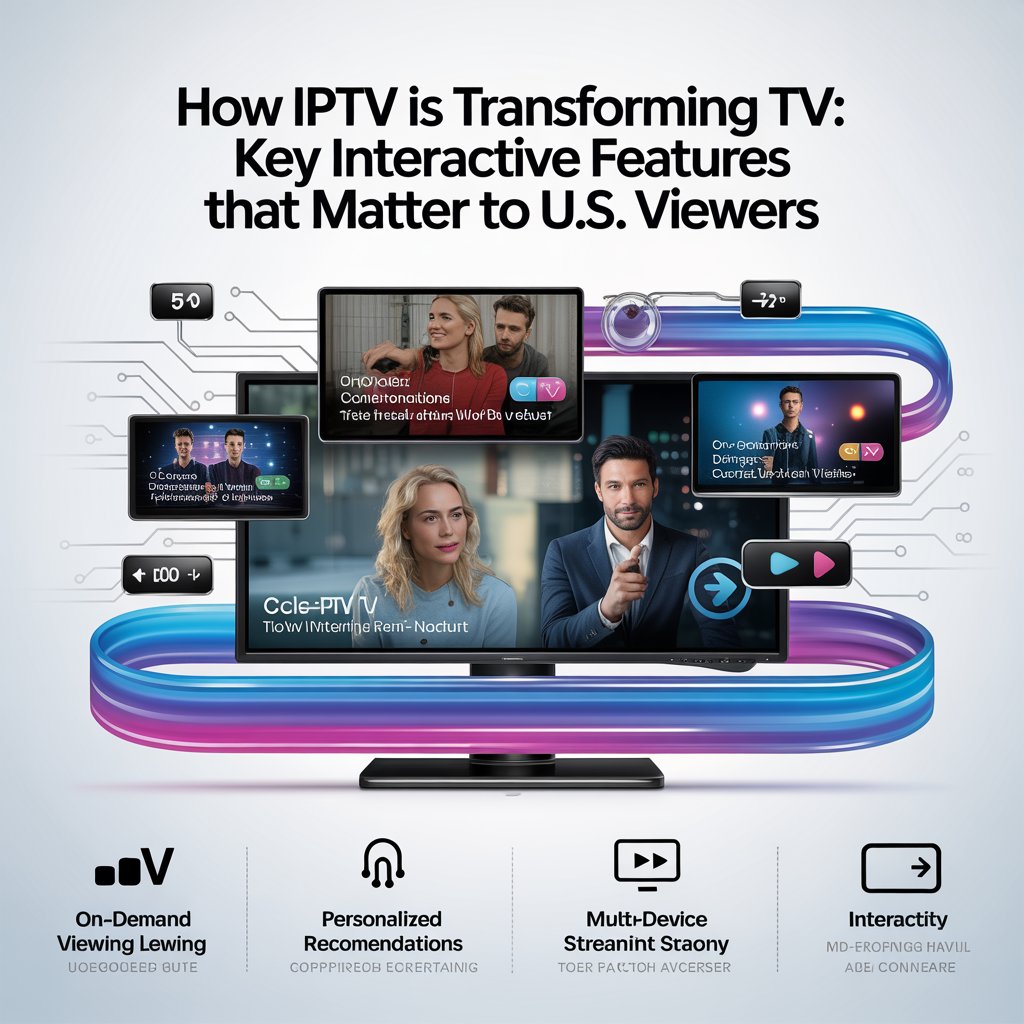
The true magic of Interactive TV lies in its two-way communication. Unlike traditional broadcast, which is a one-way street, IPTV utilizes a “return channel” (your internet connection) to send your inputs back to the provider. Here are the IPTV features that are upgrading the U.S. viewing experience.
1. Start-Over and Catch-Up TV
Missed the first ten minutes of a live broadcast? Start-over TV allows you to rewind a live, in-progress program to the very beginning with a single click. Similarly, catch-up TV keeps recently aired live programs available on-demand for a set window (usually 24 to 72 hours). This eliminates the anxiety of missing a show’s premiere just because you were stuck in traffic.
2. Time-Shifted Viewing and Cloud DVR
Gone are the days of blinking VCR clocks and full hard drives. Time-shifted viewing lets you pause, rewind, and fast-forward live television. Modern cloud DVR takes this further by storing your recordings on the provider’s remote servers. Services like YouTube TV offer unlimited cloud DVR storage, meaning you can record every game of the MLB season without ever worrying about running out of space on a local streaming device.
3. Interactive Program Guides (EPG) and Personalized Recommendations
The traditional grid guide is evolving. Modern EPG (electronic program guide) interfaces are highly visual, integrating rich metadata, trailers, and cast info. More importantly, they leverage AI to offer personalized recommendations. By analyzing your viewing habits, the EPG curates a “For You” row, blending live TV schedules with on-demand libraries seamlessly.
4. Multi-View and Picture-in-Picture (PIP)
For sports fans, multi-view streaming is a game-changer. Platforms like Fubo and the NFL Sunday Ticket app allow you to watch up to four live streams simultaneously on one screen. Whether you are tracking fantasy football stats across different games or keeping an eye on a breaking news event while watching a movie, PIP and multi-view keep you in the loop without flipping channels.
5. Real-Time Stats and Second-Screen Integration
Interactive features now extend beyond the main screen. During live sports or elections, IPTV apps can overlay real-time betting odds, player tracking data, or live polling. Furthermore, second-screen integration allows your smartphone or tablet to sync with the TV, letting you browse deep-dive stats or vote on live polls without cluttering the main broadcast.
6. Interactive Ads and Shoppable TV
Advertising is becoming an interactive experience. Shoppable TV allows viewers to scan a QR code on the screen or use their voice remote to add a product seen in a commercial directly to their digital cart. This transforms passive ad-watching into an active, frictionless e-commerce experience.
7. Voice Control and Conversational UI
Searching for content using an on-screen keyboard is a thing of the past. Voice remote technology allows for complex, conversational queries. Instead of just searching for “Action,” you can say, “Find 90s action movies starring Keanu Reeves available on my live channels,” and the IPTV system will parse the metadata and present the exact live TV streaming options.
8. Social TV Features: Watch Parties and Polling
Watching TV is inherently social, and IPTV bridges the physical gap. Some platforms offer integrated “Watch Parties,” syncing the playback of a live event or movie across multiple households while providing a live chat sidebar. Live audience polling during reality show finales or debates makes the viewer an active participant in the broadcast.
9. Parental Controls, Profiles, and Accessibility
Modern IPTV excels at household management. Robust parental controls allow you to restrict channels, set viewing time limits, and require PINs for purchases. Individual profiles ensure everyone gets tailored recommendations. Crucially, accessibility features like customizable closed captions, adjustable subtitle sizing, and Audio Description (AD) tracks are easily toggled via the interactive menu.
The Tech Behind the Screen
A Deeper Dive into the Technical Enablers
While the user experience feels like magic, it is powered by a robust stack of backend technologies. For the tech-savvy reader, here is how the sausage is made:
- Adaptive Bitrate Streaming (ABR): ABR monitors your network conditions in real-time. If your Wi-Fi drops, the stream seamlessly shifts to a lower resolution to prevent buffering, then scales back up to 4K when the network stabilizes.
- Protocols (HLS and DASH): Apple’s HTTP Live Streaming (
HLS) and MPEG-DASH are the standard delivery protocols. They break video into tiny segments (usually 2 to 6 seconds long). - Low-Latency Streaming: Traditional HLS can have a 30-second delay compared to live action. Newer standards like LL-HLS (Low-Latency HLS) and WebRTC reduce this latency to under 3 seconds, which is critical for live sports streaming where a 30-second delay means hearing your neighbor cheer for a touchdown before you see it.
- CDN and DRM: A CDN (content delivery network) caches video segments on edge servers physically close to your home to reduce load times. Meanwhile, DRM (digital rights management) encrypts the stream to prevent piracy.
Here is a simplified look at what an HLS manifest file (manifest.m3u8) looks like, dictating the ABR quality ladder:
#EXTM3U
#EXT-X-STREAM-INF:BANDWIDTH=8000000,RESOLUTION=3840x2160,CODECS="avc1.640033,mp4a.40.2"
4K_stream.m3u8
#EXT-X-STREAM-INF:BANDWIDTH=4500000,RESOLUTION=1920x1080,CODECS="avc1.640028,mp4a.40.2"
1080p_stream.m3u8
#EXT-X-STREAM-INF:BANDWIDTH=2000000,RESOLUTION=1280x720,CODECS="avc1.64001f,mp4a.40.2"
720p_stream.m3u8
To calculate the optimal buffer size required to prevent stalling during an ABR switch, engineers use formulas factoring in segment duration and network throughput:
Buffer Target (s)=Available Throughput (bps)Segment Size (bits)×Safety Factor
Consumer Considerations: Setting Up for Success
Before you ditch your cable provider and dive into Interactive TV, there are several practical factors to evaluate to ensure a smooth transition.
1. Internet Speed and Latency Needs
Internet speed for IPTV is the most critical factor in your setup. Because IPTV relies on your home network, insufficient bandwidth will result in pixelation or buffering.
| Streaming Quality | Recommended Minimum Speed | Ideal Household Setup |
|---|---|---|
| SD (480p) | 3 Mbps | Basic plans, single user |
| HD (1080p) | 5–8 Mbps | Standard broadband, 1-2 streams |
| 4K UHD | 25+ Mbps | Fiber/Gigabit, multi-user homes |
| Multi-View (4K) | 50–100+ Mbps | High-end fiber, dedicated router |
Pro Tip: If multiple family members are streaming simultaneously, you must account for combined bandwidth. Furthermore, prioritize low latency (ping) over raw download speed for the best live sports experience. Consider hardwiring your primary streaming device via Ethernet or upgrading to a Wi-Fi 6 mesh system. (Internal Link Suggestion: [How to Optimize Your Home Wi-Fi for Flawless Streaming])
2. Device Compatibility
Not all smart TV apps are created equal. A native app on a high-end LG OLED will process an interactive EPG much faster than a budget streaming stick. For the best IPTV features like multi-view and rapid voice search, premium devices like the Apple TV 4K, NVIDIA Shield, or high-end Roku models are highly recommended.
3. Content Availability and Blackouts
U.S. sports fans must be aware of regional blackouts. Even the best legal IPTV services are bound by local broadcasting rights. If a local MLB game is blacked out on a national streaming feed, you may still need a local antenna or a regional sports network (RSN) add-on to watch it live.
4. Security and Privacy
Always stick to verified, legitimate IPTV apps available on official app stores. Grey-market IPTV services often require you to sideload unknown APK files or provide credit card info to unsecured portals, risking malware infections and identity theft.
5. Costs and Subscription Models
While cord-cutting was originally about saving money, the streaming landscape has fragmented. A live TV IPTV service (like Hulu + Live TV or YouTube TV) typically costs between 75and90 per month. Evaluate whether you need premium add-ons (like NFL RedZone or 4K tier upgrades) or if a cheaper, on-demand-only IPTV setup supplemented by an HD antenna better fits your budget. (External Link Suggestion: [FCC Guide to Cord-Cutting and Antenna Reception])
Future Trends: What to Watch Next
The intersection of IPTV and Interactive TV is moving fast. Over the next few years, expect to see:
- AI-Driven Hyper-Personalization: EPGs that don’t just recommend shows, but automatically generate custom highlight reels of your favorite sports teams the moment you log in.
- Ultra-Low-Latency Interactivity: As WebRTC and 5G home internet expand, real-time betting, live trivia, and audience-driven camera switching will become virtually instantaneous.
- Immersive AR Overlays: Pointing your phone at the TV to see augmented reality stats floating over live sports players, or using AR to “place” a shoppable piece of furniture from a TV show directly into your living room to see how it looks.
- Contextual Shoppable TV: AI will automatically identify clothing, gadgets, and locations in a scene, allowing you to pull up purchasing options on a second-screen without interrupting the primary broadcast with traditional ads.
Conclusion and Next Steps
IPTV has evolved far beyond a simple cable replacement. By leveraging the two-way nature of the internet, Interactive TV transforms passive viewing into a dynamic, personalized, and deeply engaging experience. From cloud DVR and multi-view streaming to AI recommendations and shoppable ads, the way U.S. consumers interact with their screens has fundamentally changed.
Ready to upgrade your setup? Start by testing your home internet speed to ensure it meets the demands of HD and 4K streaming. Next, take advantage of the free trials offered by major live TV streaming services to test their EPG and cloud DVR features on your specific devices. The perfect interactive TV experience is out there—you just have to tune in.
Frequently Asked Questions (FAQ)
Is IPTV legal in the United States?
Yes, Internet Protocol Television is completely legal when provided by licensed, legitimate services (e.g., YouTube TV, Sling, Hulu + Live TV). However, unverified “grey-market” IPTV boxes or apps offering thousands of premium channels for a few dollars a month are illegal and violate copyright laws.
Do I need a special set-top box for IPTV?
For OTT IPTV services, you do not need a proprietary cable box. You can use a smart TV, a gaming console, or a dedicated streaming device like a Roku, Amazon Fire Stick, or Apple TV. Managed IPTV from a telecom provider usually requires their specific hardware.
How much internet speed do I really need for live sports?
For a single 1080p stream, 5 to 8 Mbps is sufficient. However, for 4K live sports streaming or using multi-view features (watching 4 games at once), you should aim for a minimum of 50 to 100 Mbps to account for network overhead and ensure low-latency streaming without buffering during crucial plays.